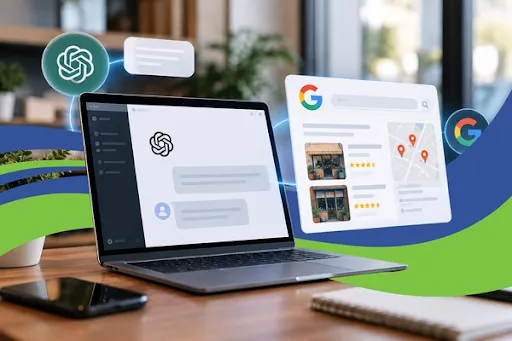
Why ChatGPT Uses Bing to Recommend Local Businesses (and How to Show Up)
Your next customer might never type your business name into Google. Instead, they'll open ChatGPT, Claude, or Google's AI Mode and ask, "Who's the best roofer near me?" The AI will answer with a short list of names. The question is whether yours is on it.
Recommendations like these are quickly becoming one of the most important sources of new customers for local businesses. In this guide, you'll learn how AI tools like ChatGPT, Claude, Bing Copilot, and Google AI Overviews decide which local businesses to recommend. You'll also get seven practical steps to help make sure your business is one of them.
Key takeaways
AI tools recommend businesses that the rest of the web already trusts: complete profiles, consistent listings, and steady reviews.
ChatGPT's live searches rely heavily on Bing, not Google, so a Google-only strategy leaves gaps.
Ranking in the Google Map Pack doesn't guarantee you'll show up in AI answers.
Most of what AI needs is fixable: your Google Business Profile, your directory listings, your reviews, and plain-language answers on your website.
Why AI Recommendations Matter for Local Businesses Right Now
This shift has happened fast. Local search research published in 2026 found that the share of consumers using AI tools to find local businesses jumped from roughly 6% in 2025 to about 45% in 2026. Several industry studies now rank ChatGPT and similar AI assistants as the third most popular way people find local businesses, behind only Google and Facebook.
These customers are also highly qualified. When someone asks an AI assistant for a recommendation, they usually want to buy, book, or call. They aren't just browsing. If the AI names a competitor instead of you, that customer may never see your business at all.
Only a small share of local businesses are showing up in AI answers today. Most business owners haven't adjusted their marketing for AI search yet, which leaves a real opportunity for the ones who act first.
How ChatGPT, Claude, and Google AI Find Local Businesses
AI tools don't keep a secret directory, and you can't pay to be listed. When someone asks for a local recommendation, the AI searches the web, pulls information from trusted sources, and compares what it finds. It then recommends the businesses it feels most confident about. Each platform leans on slightly different sources.
ChatGPT: Bing and business data providers
Industry analyses consistently report that ChatGPT's live web searches rely heavily on Bing's search index. If your business isn't on Bing Places or data sources like Foursquare, ChatGPT may not know you exist, even if you rank well on Google.
Google AI Overviews and AI Mode: your Google Business Profile
Google's AI answers draw heavily from Google Business Profile data and review content. A complete, active profile gives Google's AI plenty to work with. An incomplete or outdated one leaves it guessing, and a guessing AI usually recommends someone else.
Claude, Gemini, and Perplexity: the live web
Other AI assistants search the web in real time and summarize what they find from your website, directories, review sites, and local news mentions. The more consistently your business information appears across trusted sources, the more likely these tools are to cite you.
Why Ranking on Google Alone Isn't Enough
Many business owners assume that if they rank well on Google, they'll show up in AI answers too. That isn't guaranteed. Industry research shows that fewer than half of the businesses winning the Google Map Pack also get named in AI recommendations. Only a small fraction of the sources ChatGPT cites overlap with Google's top results.
Traditional local SEO is still your foundation. AI search simply adds a new layer on top of it: consistency, credibility, and visibility across more platforms than just Google.
7 Steps to Get Your Local Business Recommended by AI
1. Fully optimize your Google Business Profile
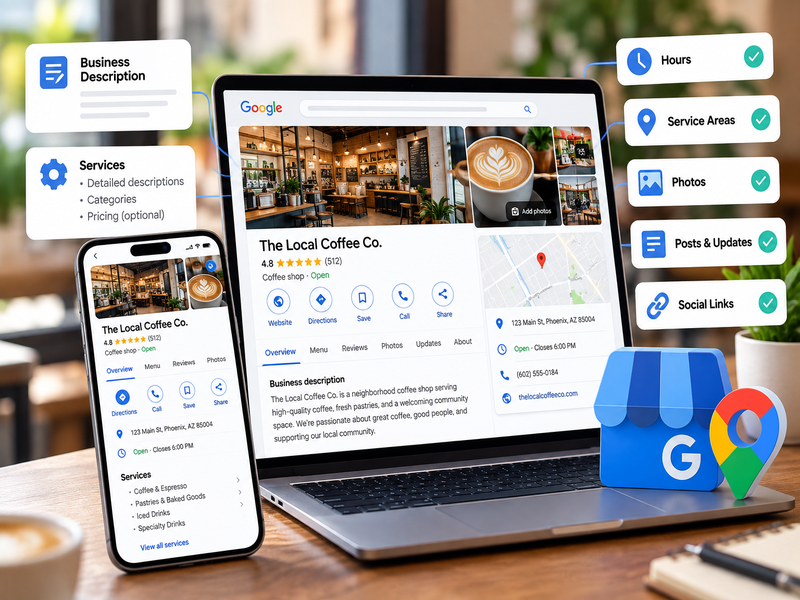
Your Google Business Profile (GBP) is the most important local data source for Google's AI and a key input for other AI tools. Fill out every field: business description, services with detailed descriptions, attributes, hours, service areas, and social links. Post updates regularly and upload fresh photos. An active, complete profile tells AI your business is real, open, and trustworthy.
2. Claim your Bing Places for Business listing
Because ChatGPT leans on Bing, Bing Places is one of the most overlooked steps in AI search visibility. It's free and takes only a few minutes to set up, and Bing lets you import your details directly from your Google Business Profile. While you're at it, claim Apple Business Connect so you also show up in Apple Maps and Siri.
3. Get listed on the directories AI trusts, with consistent details
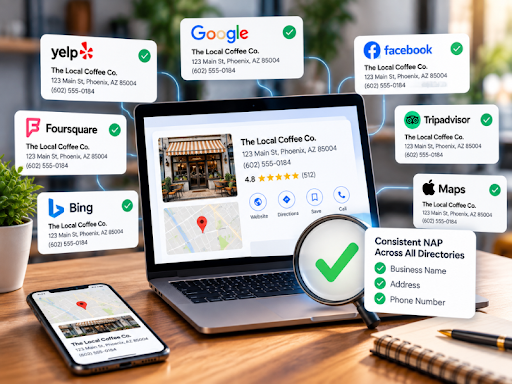
AI tools cross-check your business name, address, and phone number (your "NAP") across many sources. If Yelp lists your old address, or Foursquare has a different phone number than your website, the AI loses confidence and may skip you. Get listed on the major directories and data providers, including Foursquare, Yelp, and industry-specific sites, and make sure your details match everywhere. Remove duplicate listings, which are a major red flag.
4. Build a steady stream of fresh reviews and respond to every one
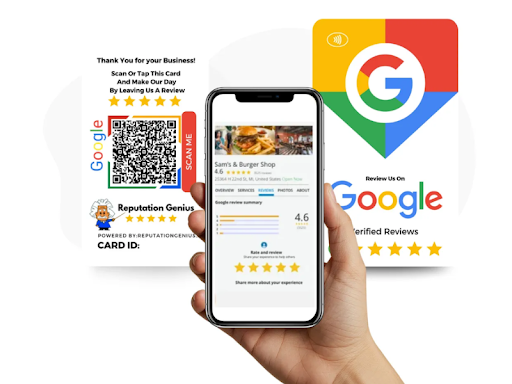
Reviews act as a trust filter for AI. Studies of ChatGPT's local recommendations suggest it tends to name businesses with strong ratings and a healthy number of reviews. Review volume, recency, and sentiment all matter. Make asking for reviews a habit after every completed job, and reply to every review, positive or negative, so both customers and AI can see the profile is actively managed.
Automate steps 1 through 4. Reputation Genius Local SEO automates Google Business Profile optimization, posts, review replies, and citation management across 62 directories, and it learns from what top-ranking profiles are doing. See how Reputation Genius works →
5. Answer real customer questions in plain language on your website
AI assistants look for clear, direct answers they can quote. Rewrite your homepage and main service pages in simple, declarative language that states what you do, where you do it, and who you serve. Add an FAQ section to each service page with city-specific answers, such as "How much does a roof replacement cost in Phoenix?" Write the way your customers actually ask questions.
6. Add LocalBusiness schema markup to your website
Schema markup is behind-the-scenes code that tells search engines and AI exactly who you are, what you offer, and where you're located. Adding LocalBusiness schema, plus FAQPage schema on your FAQ sections, makes your information easier for AI to read, understand, and trust.
7. Make sure AI crawlers can actually reach your site
Some websites accidentally block AI crawlers through their robots.txt file. If AI tools can't read your site, they can't recommend you, no matter how good your content is. Ask your web developer to confirm that Bingbot and the major AI crawlers from OpenAI, Anthropic, and Perplexity are not blocked.
How to Check Whether AI Is Recommending Your Business
The quickest test is to ask. Open ChatGPT, Claude, Gemini, and Google's AI Mode, and type the questions your customers would ask, for example:
"Who is the best [your service] in [your city]?"
"Can you recommend a [your business type] near [your neighborhood]?"
"What do people say about [your business name]?"
Write down whether you appear, which competitors do, and whether the details about your business are accurate. Any wrong information points to a listing or profile you need to fix at its source.
For a complete picture, a local marketing audit can show where you rank on Google Maps, how you compare with competitors, and whether AI platforms such as ChatGPT, Gemini, Claude, and Perplexity can find your business.
Find out if AI can see your business. MarketingROI.ai helps local businesses get found on Google, Bing, and the AI tools customers are using right now. Get started with MarketingROI.ai →
Frequently Asked Questions
Can I pay to have ChatGPT recommend my business?
No. There's no paid listing or submission form for ChatGPT recommendations. AI tools recommend businesses based on the information they find and trust across the web, including your Google Business Profile, directory listings, reviews, and website.
Does ChatGPT use Google or Bing to find local businesses?
Industry research shows ChatGPT's live web searches rely heavily on Bing's index, along with business data providers like Foursquare. That's why claiming your Bing Places listing is an important step for AI visibility.
If I rank #1 on Google Maps, will AI recommend me too?
Not necessarily. Research shows that fewer than half of businesses ranking in the Google Map Pack also appear in AI recommendations. AI tools look at your presence across many platforms, not just Google.
How long does it take to show up in AI search results?
It varies. Tools that search the web in real time, like Perplexity, may reflect changes within days, while Google AI Overviews typically update as Google recrawls your site. Building strong reviews and consistent listings usually takes a few months of steady effort.
Do reviews affect whether AI recommends my business?
Yes. Reviews are one of the strongest trust signals AI tools use. The number of reviews, how recent they are, your average rating, and whether you respond all influence whether an AI assistant feels confident recommending you.
Be the Business AI Recommends
AI search isn't replacing local SEO. It's raising the bar. The businesses that show up in ChatGPT and Google AI answers have complete profiles, consistent listings, and a steady flow of fresh reviews. MarketingROI.ai can put your local SEO and reputation on autopilot, so AI tools and your customers find you first.
